It's Monday. Here's what changed in AI this week, and what it means for your design work:
🚨 Big News: Adobe and Figma are getting crushed by AI
🤖 Prompts Inspiration: 3 AI prompts going viral right now
⚙️ Tool of the Week: Higgsfield Cinema Studio
🛠️ Tutorial of the Week: AI motion graphics without After Effects
🔗 Quick Links: 6 things that caught my eye

WHAT I’M BUILDING
Behind the Scenes
Last week was my last week in Cyprus. I've been deep in the Limora build, and we're getting close - the first beta testers come in this week, and we plan to launch in one or two weeks.

Right now everything is moving at once. Fixing the last bugs, finishing the new UI, mapping out the marketing strategy to promote the tool. This is the main focus and everything else is on the back burner until we ship.
BIG NEWS
Adobe and Figma Are Getting Crushed
The numbers tell the whole story. Adobe is down 28% in 2026 alone. Figma is down 85% from its 52-week high of $142 in August 2025, and now trades around $18. Two of the biggest design companies on earth, both bleeding out, both at the same time. The catalyst? AI design tools.

Bull Theory broke this down on X and the post went viral across design and Finance Twitter. The thesis is simple: prompt-to-UI tools are eating the moat. Claude Design, Google Stitch 2.0, Lovart, Krea - the new stack does in 30 seconds what used to take a design file, a handoff doc, and three hours.
My take
This is the biggest shift in design tooling since Figma killed Sketch. Except it's faster and uglier, and Figma is on the wrong side of it this time. The companies that built the modern design workflow are now the ones being disrupted, and most designers are still treating Figma like it's the only place they need to be.
The real lesson isn't "learn Claude Design." It's stop tying your career to one tool. The designers who survive the next 18 months are the ones who treat their workflow like a stack, not a single app. Figma for the parts where it still wins. Claude or Stitch when you need to go from prompt to product fast. Krea or Higgsfield when you need motion. Pick the best tool for the job, every time.
How to use it
This week, pick one piece of your workflow you still do manually and replace it with AI. Just one. Try Claude Design for a quick prototype, or Stitch for a landing page mock. Don't replace Figma. Add to it.
PROMPTS INSPIRATION
3 Prompts Going Viral Right Now
Vintage Travel Posters

Dreamy vintage travel poster illustration of Lisbon, Portugal, featuring the iconic yellow tram moving through a steep cobblestone street, pastel buildings with floral balconies, cozy café tables..."Hyper-Realistic Product Shot

A translucent pink facial mist spray bottle with a white cap, covered in tiny condensation droplets, lying diagonally on a plush rolled light-blue towel wrapped around a white towel stack...Boss Fight Game Intro Card

Visualize a dramatic boss encounter as a premium game intro card: boss name, title, threat level, arena mood, phase hints, and cinematic UI overlays..."TOOL OF THE WEEK
Higgsfield Cinema Studio

Higgsfield is one workspace running every major AI video model on the market - Seedance 2.0, Kling 3.0, Veo 3, Sora 2, Hailuo 02, Wan 2.6. Pick the model that fits the shot, generate, edit, and move on. Their tagline is "One link in. Marketing out." Roughly 4.5 million video generations a day go through the platform.
TUTORIAL OF THE WEEK
AI Motion Graphics in Minutes
You don't need After Effects for motion graphics anymore. One AI tool is all you need.
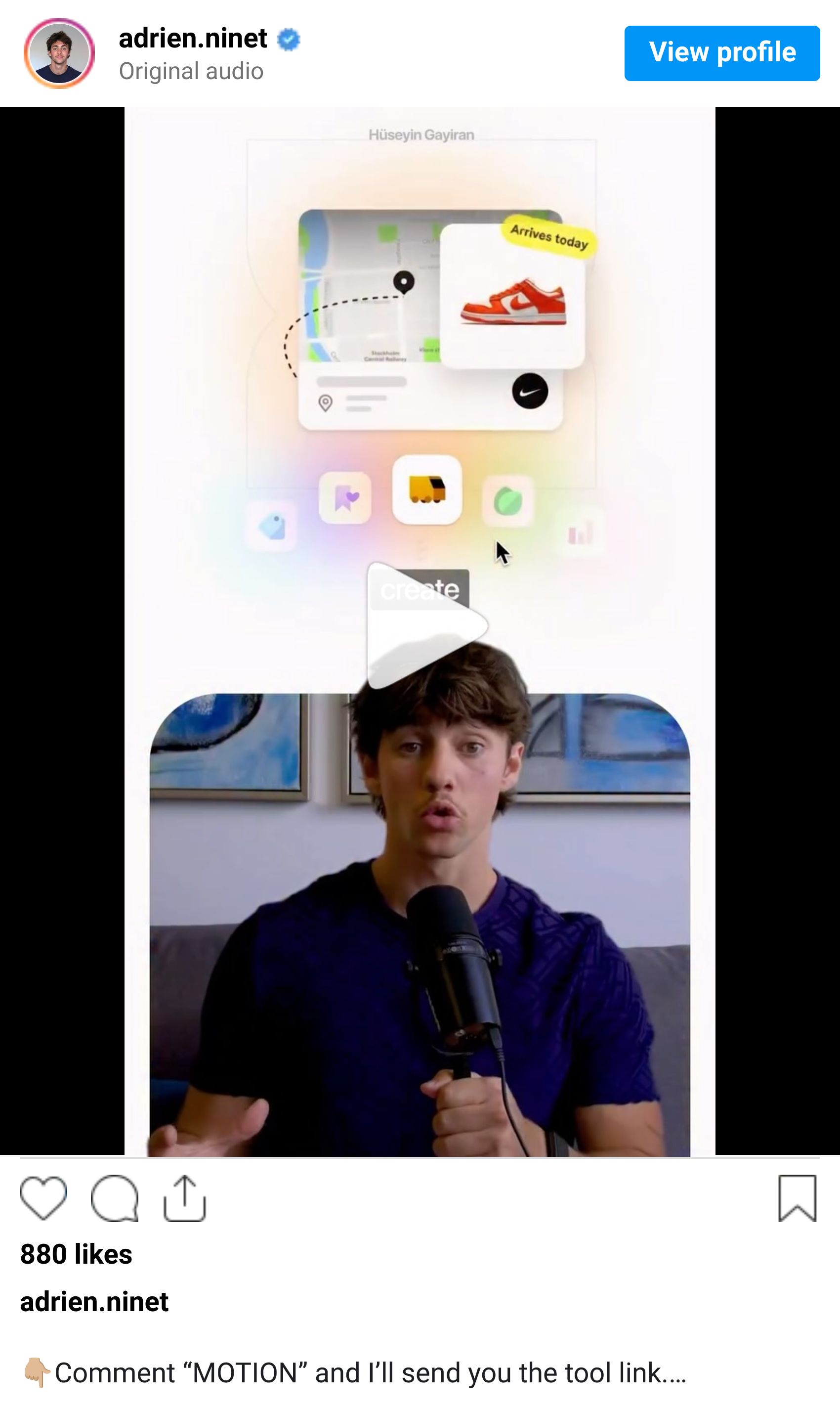
Step 1: Describe the animation you need
Go to Agent Opus and start a new project
Type what you need in plain English ("animated logo intro for a fintech brand", "product photo with motion blur loop")
Keep it visual and specific - mention motion, timing, mood

Step 2: Drop in your assets and let the AI build it
Upload your own images, logos, or brand assets - add a style reference if needed
The AI blends everything into a full motion design in one pass
Transitions, text animations, and effects all generate together

Step 3: Refine the keyframes and export
Tweak visuals, swap elements, or edit individual keyframes for precise control
Way more flexibility than other AI tools - down to the frame
Hit export and ship it. Done.

QUICK LINKS - This Week's Radar
Google I/O 2026 starts tomorrow - Gemini 4, Gemini Omni video model, and a leaked Aluminium OS desktop are all expected on the stage.
Gemini Omni leaked - A model card surfaced in the Gemini app: "remix your videos, edit directly in chat, try templates." Veo's replacement.
Krea Seedance 2.0 - ByteDance's flagship video model went live on every Krea paid plan. Cinema-grade output, 90%+ usable first try.
Cline Kanban - Multi-agent orchestration board with dependency chaining and live diffs for parallel Claude Code sessions.
Anthropic Agent View - Claude Code now has a unified dashboard. Run background sessions with /bg or claude --bg [task] .
YouMind GPT Image 2 prompt library - 10,000+ free GPT Image 2 prompts with previews and multi-language support.
How was this week's newsletter edition?
💌 Know a designer who should be using AI smarter?
Forward them this email. Or just send them to logiaweb.net to join.
See you next Monday,


