It's Monday. Here's what changed in AI this week, and what it means for your design work:
🚨 Big News: Claude Design, Anthropic's new AI prototyping tool
🤖 Prompts Inspiration: 3D Renders, Cinematic Portraits With the Exact Prompts
⚙️ Tool of the Week: Canva AI 2.0
🛠️ Tutorial of the Week: How to Create 3D With Claude Code + Blender
🔗 Quick Links: 6 things that caught my eye

WHAT I’M BUILDING
Behind the Scenes
This week was all about the two products I'm building.
First, Limora - my AI asset tool for designers. The MVP is live, but V2 is going to be a completely different experience. The big addition: brand kits for each project, so every generation stays on brand. Here's the problem it solves - once you generate a website with AI, or even when you design manually, you spend way too much time searching for the right assets. The right icons, illustrations, textures. Limora fixes that. The backend for V2 is done, and now I'm deep in the UI because I want it to feel really polished.

Second, Stage. Right now it's a simple project management tool, but I'm turning it into something much bigger - an AI-powered design workflow tool built specifically for web and product designers. You'll be able to run in-depth research on client projects, generate strategy, create user flows, lo-fi wireframes, and finally UI designs you can refine inside Figma. Plus Figma and Notion integrations. The backend is almost done, and I'm refining the UI because this one is way more complex than anything I've shipped before. Very exciting week.

BIG NEWS
Claude Design by Anthropic Just Launched a Direct Competitor to Figma
Anthropic just entered the design tool market. And they didn't tiptoe in - they kicked the door down.
On April 17, Anthropic launched Claude Design - a standalone product that generates complete, interactive prototypes from natural language. You describe what you want, and Claude builds it. Prototypes, pitch decks, one-pagers, marketing materials. All fully editable, all powered by the new Claude Opus 4.7 vision model.

But here's the part that sent shockwaves through the industry: three days before launch, Anthropic's CPO Mike Krieger - the Instagram co-founder - quietly resigned from Figma's board. Figma's stock dropped 7%. Adobe fell 2.7%.

My take
This isn't just another AI design toy. Claude Design reads your codebase and design files to apply your brand system automatically. It exports to Canva, PDF, PPTX, and HTML. And it has a direct handoff to Claude Code - meaning you can go from prototype to production code in one conversation.

For designers, this changes the conversation. The tool isn't replacing you - it's replacing the 2-hour prototyping session you do before the real design work starts. Quick concepts, client presentations, internal decks - all done in minutes instead of hours.
How to use it
If you're on Claude Pro, Max, Team, or Enterprise, Claude Design is rolling out now. Start with a simple prototype - describe a landing page for your next project, upload your brand guidelines, and see what it generates. The quality of the output depends entirely on how specific your prompt is. Try it for your next client pitch deck.
PROMPTS INSPIRATION
3D Renders and Cinematic Portraits With the Exact Prompts
Prompt 1

PROMPT: “A hyper-realistic 3D travel guide infographic poster for [COUNTRY]. The country shape is rendered as a raised, textured terrain map floating on a clean light gray surface. Iconic landmarks are placed as miniature 3D sculpted models at their ...Prompt 2

PROMPT: A simple black-and-white illustration of a [subject] in [outfit], [doing action], with a [facial expression] expression, in a Notion-style minimalist editorial aesthetic,...Prompt 3

PROMPT: A hyper-realistic 3D render of a flat logo sculpted as a massive, frosted stone monument standing upright on the jagged peak of a rocky...TOOL OF THE WEEK
Canva 2.0

Canva AI 2.0 dropped on April 16, and it's the biggest update since Canva launched in 2013. They went from "design platform with AI tools" to "AI platform with design tools." The entire experience is now conversational and agentic - describe what you want, and Canva coordinates multiple AI tools to build it.
🧠 How I'd use it
Brand campaigns in minutes. Describe a campaign concept and Canva generates a full set - social posts, presentations, ads - all matching your brand guidelines automatically through its new Brand Intelligence feature.
Living Memory for repeat clients. Canva's Memory Library learns your style preferences over time. Set it up once for a client and every future project starts with their visual language already loaded.
TUTORIAL OF THE WEEK
How to Create 3D With Claude Code + Blender
AI just unlocked 3D design. No modeling experience needed - just describe what you want and Claude builds it live in Blender
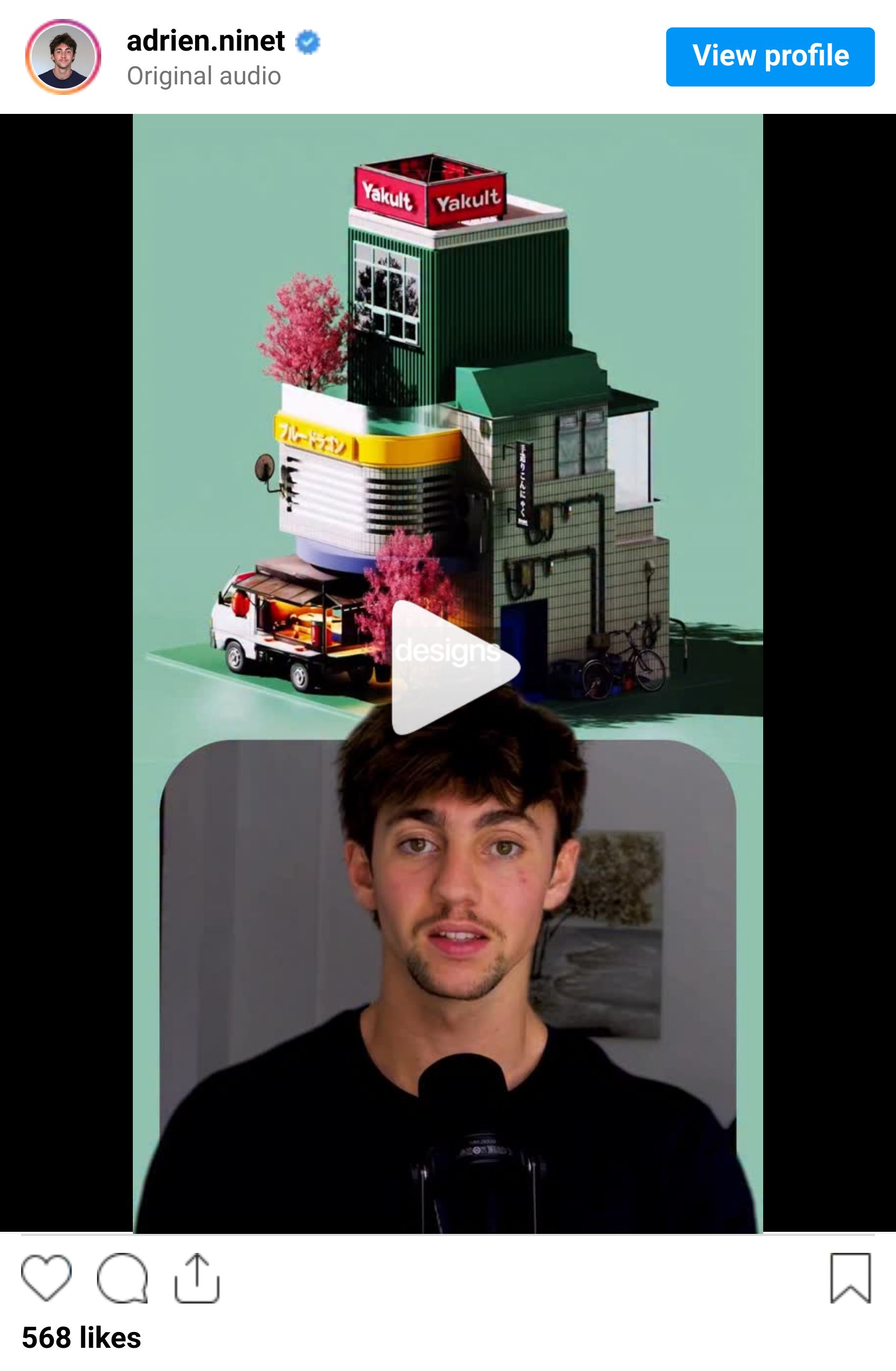
Step 1: Install Blender MCP
Grab Blender MCP from GitHub - it's a free plugin that connects Claude directly to your 3D scene
Open Blender and install the add-on from the plugin file
Start the MCP server from the Blender sidebar panel

Step 2: Describe your scene
Open Claude Code and describe what you want to build
Claude writes the Python code and builds it live - objects, materials, lighting, all from your text prompt
Watch it appear in real time in your Blender viewport

Step 3: Refine with prompts
Keep prompting to adjust materials, camera angles, and lighting
You handle the creative direction, the AI handles the code
Add complexity layer by layer - textures, animations, environment

Step 4: Render the final result
Set up your render settings and camera position
Hit render and let Blender process the scene
Export your 3D creation - ready for portfolios, client presentations, or social content
QUICK LINKS - This Week's Radar
Claude Opus 4.7 - Anthropic's new flagship model is live. Better vision, better code, more creative output. Powers Claude Design.
Midjourney V8.1 Alpha - Native 2K HD rendering, 3x faster, 3x cheaper. Image prompts and moodboards are back.
Levelsio’s 2026 Vibe Jam - $20K grand prize game jam sponsored by Cursor and Bolt. Build AI-powered games by May 1.
OpenAI Pro tier - $100/month with 5x more Codex usage for longer coding sessions.
Omma by Spline Buildathon - $15K in prizes for AI motion design, animation, and 3D. Prompt to production-ready interactive design.
DaVinci Resolve 21 - Hundreds of new features including AI IntelliSearch, CineFocus, and face tools. Free update.
How was this week's newsletter edition?
💌 Know a designer who should be using AI smarter?
Forward them this email. Or just send them to logiaweb.net to join.
See you next Monday,


